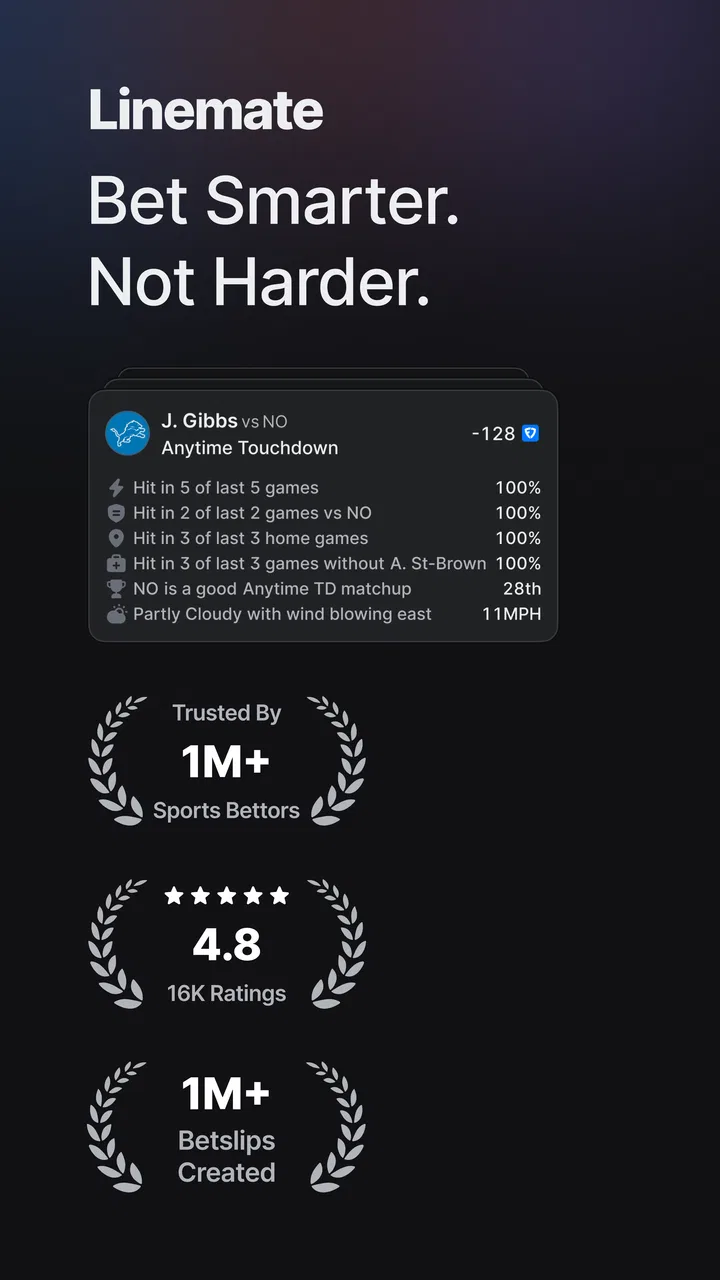
Linemate
- 4.6
- Rating
- 100.00K
- Installs
- Free
- Price

 Analysis by App-foxy
I approached Linemate as someone trying to make better sense of a busy sports day, not as a replacement for watching games or making personal decisions. It is a free sports app from Linemate Inc. built around betting research, and that focus becomes clear quickly: the useful part is not simply seeing a line or a game name, but having a place to slow down, compare what you are considering, and turn a quick hunch into a more deliberate decision.
That distinction matters. Many sports apps are designed around scores, alerts, standings, or news. Linemate sits closer to the research stage that comes before any action. I found it most useful when I already had a question in mind, such as whether a matchup deserved attention or whether my first idea was based on something meaningful rather than a recent result. It is less compelling if you only want a fast score update or a traditional league companion.
From a quick sports question to a more considered decision
When a sports question first catches my attention, I find it useful to pause before looking for an answer and decide what I actually want to understand. That small step keeps research from turning into endless browsing or a hunt for reassurance. From there, I can consider how a focused session holds up when several games compete for my attention.
You May Also Like

 Blood Strike: 2.5 Anniversary
Blood Strike’s Loadouts Turn Every Drop Into a Tactical Gamble
A close look at Blood Strike’s custom loadouts: how fast access to signature weapons reshapes its battle royale rhythm, rewards preparation, and narrows the gap between fights.

 Pandora - Music & Podcasts
Pandora’s Music Is Easy to Start, but Harder to Recover
Pandora’s strength is its low-effort path from a seed to a station. Its weak spot is how much confidence it asks you to place in connection, setup, and quiet recovery.

 8 Ball Pool
 Is Built on Rivalries, Rematches, and Routine
A close look at the rivalries, rematches, shared routines, and unanswered safety questions that turn a quick pool match into a persistent mobile community.

 Samsung Music
’s Quiet Strength Is Playing What You Already Own
Its reach comes less from spectacle than from dependable access to a personal library. That simplicity is both the app’s strongest retention engine and its ceiling.

 AccuWeather: Weather Radar
AccuWeather Review: A Quick, Clear Forecast for Everyday Decisions
For everyday plans, the best forecast is the one you can understand quickly. AccuWeather makes rain timing, radar, and local conditions easy to act on, with a few trade-offs.

 Hill Climb Racing
Why Hill Climb Racing Still Turns Crashes Into One More Run
A tiny car, a bumpy hill and one more upgrade: Hill Climb Racing keeps resurfacing because its simple chaos makes every near-miss feel personal.
More From Our News Desk
View All News


The starting condition: too much information and not enough structure
A realistic use case is an ordinary evening when several games are approaching and I have limited time. I might notice a matchup through a conversation, a sports broadcast, or another app, then feel tempted to form an opinion from one headline or one memorable performance. That is exactly where a research-focused tool can help: it gives me a reason to pause before treating a first impression as a conclusion.
My preferred starting point is a narrow question. Instead of opening the app with the vague goal of “finding a pick,” I would begin with one matchup, one market, or one concern. For example, I might want to understand whether a team’s recent form deserves more weight than the broader context of the game. This approach keeps the session manageable and makes it easier to notice when I am searching for evidence rather than simply looking for confirmation.
The app’s sports category is a good fit for that behavior because the experience is centered on sports fans who want research in their routine. Its audience is not limited to people who follow one league casually, but it also does not feel like a general-purpose sports news feed. The distinction is important for expectations: Linemate is most valuable when I am willing to spend a few minutes thinking through a choice.
It is also worth setting a boundary before opening any betting research app. Information can improve a process, but it cannot remove uncertainty. I would treat the app as a way to organize my thinking, not as a promise of a result. That mindset makes the workflow healthier and prevents the interface from becoming an excuse to make more decisions simply because information is available.
Step one: narrow the question before browsing
The first practical habit I recommend is deciding what I need to learn before moving through the app. If I am checking a game, I might ask whether the matchup itself is attractive, whether the available angle is supported by more than one observation, or whether I should leave it alone. These are different questions, and mixing them together can make any research platform feel more confusing than it really is.
Linemate works better when I use it as a workspace rather than a stream to scroll endlessly. A focused visit gives each piece of information a job. I can examine a situation, compare it with my initial assumption, and then stop. That last step is underrated. The ability to close the app without forcing a conclusion is part of responsible research, especially when the information does not create a clear edge.
A useful personal rule is to write down my first impression mentally before reviewing more context. If I immediately change my view after seeing one attractive detail, I know I need to slow down. The app cannot make that judgment for me, but its research-oriented purpose makes it a suitable place to test the original idea instead of acting on impulse.
Step two: move from the headline to the matchup
The next stage is where Linemate separates itself from the usual score or news application. A score app answers what happened. A news feed tells me what people are discussing. A research platform is useful when I need to connect those fragments to the specific situation in front of me.
In practice, I would move through the relevant game or betting context and ask whether the information changes the way I see the matchup. I am not looking for a single dramatic fact. I am looking for agreement, tension, or a reason to stay cautious. If one part of the picture points in one direction while another makes the situation less clear, that conflict is itself useful information.
This is one of the app’s more valuable lessons for everyday use: research is not only about collecting support. It is also about finding reasons not to proceed. A tool that helps me notice uncertainty can be more useful than one that constantly presents a confident-looking answer. I would rather finish a session with a clear reason to pass than with a rushed decision built on a convenient headline.
Another practical technique is to separate facts from interpretation. I can note what the app presents, then decide what I think it means. That small mental handoff prevents the interface from turning an observation into an automatic recommendation in my mind. It also makes it easier to explain my own reasoning later, whether I am talking with friends or reviewing how I reached a decision.
Step three: use the app alongside, not instead of, normal sports habits
I would not make Linemate my only sports source. A normal sports app remains better for quick scores, schedules, live moments, and broad league awareness. A news source may be more convenient for following developing stories. Linemate has a different role: it is the place I would go when I want to research a sports situation with more intention.
The handoff between those tools is straightforward. I might first notice a matchup elsewhere, then open Linemate to examine it more carefully. Afterward, I could return to a score app to follow the event itself. This keeps each tool doing what it is good at instead of expecting one app to serve every sports need.
That workflow also reduces unnecessary browsing. If I begin in a general sports feed, I can easily jump from one story to another without answering the original question. Linemate is more useful when I arrive with a specific purpose and leave once that purpose is satisfied. The app becomes a checkpoint between casual awareness and a more deliberate conclusion.
The handoffs: where personal judgment still matters
No research platform can take over the most important handoff: turning information into a personal decision. Linemate can support the research stage, but I still have to judge whether the information is relevant, recent enough for my purpose, and strong enough to matter. That is not a flaw unique to this app; it is the unavoidable limit of sports analysis.
I found it helpful to imagine three separate handoffs. First, I move from a sports event that caught my attention to a defined question. Second, I move from the app’s research material to my own interpretation. Third, I move from that interpretation to either an action or a deliberate decision to do nothing. Keeping those stages separate makes the process less emotional and makes it easier to identify where a mistake occurred.
The third handoff is especially important for people who tend to keep researching until they find a satisfying answer. More information does not always produce better judgment. If I have already reviewed the situation and am only searching for one more reason to agree with myself, the app has stopped helping. My best use of Linemate is to set a stopping point before I begin.
There is also a social handoff. A friend may send me a matchup or a confident opinion, and I can use the app to examine the situation independently rather than accepting the recommendation as a shortcut. That makes Linemate useful in conversations, but I would still avoid treating another person’s enthusiasm as evidence. The app can help me ask better questions; it cannot validate a friend’s certainty.
A realistic evening workflow
Imagine that I have a short break before a game and want to decide whether it deserves deeper attention. I start with the matchup, define the question I want answered, and review the available research without jumping immediately to a conclusion. I then compare the information with what first drew me to the game. If the original idea survives that check, I can make a calmer choice. If it does not, I have saved myself from acting on a weak assumption.
The useful outcome is not necessarily a selection. It may be a clearer understanding of why the situation is difficult, or a decision to watch the game without turning it into a betting exercise. That is a more realistic measure of value than expecting every session to produce a confident answer.
For a daily sports fan, this workflow can fit between casual browsing and following the event. For someone who researches several matchups at once, the main challenge is discipline. It is easy to let one interesting detail pull attention toward another game. I would handle that by treating each matchup as a separate mini-session and writing down the reason I opened it before moving on.
What the result looks like when the process works
When I use Linemate well, the result is a more transparent decision process. I know what attracted me to the matchup, what information challenged that view, and why I ultimately chose to continue or stop. That clarity is more valuable than a feeling of certainty, because it gives me something I can review later without rewriting the story in my head.
This is where the app can be stronger than a standard sports feed. A feed may keep me informed, but it does not necessarily encourage me to examine my reasoning. Linemate’s betting-research identity makes it more suitable for the stage where I want to compare an idea with supporting context. It is not automatically better than a score app; it is simply aimed at a different moment in the sports routine.
I also appreciate that a successful result can be restraint. If the information leaves me unconvinced, the correct outcome may be to stop. That makes the app more useful for thoughtful users than for anyone searching for constant excitement. The platform can organize a decision, but the quality of the outcome still depends on whether I am prepared to accept an inconclusive answer.
Where the flow breaks
The workflow becomes less effective when I open the app without a defined question. In that situation, research can turn into aimless browsing, and the amount of information may create the illusion of progress. I would not blame the app for every unfocused session, but its value clearly depends on the user bringing some structure to the process.
It can also be the wrong choice when my need is purely live sports coverage. If I only want to check a score, see a schedule, or follow an event quickly, a conventional sports app will usually feel more direct. Linemate makes more sense when I am willing to investigate rather than glance and leave.
Another point of friction is the gap between research and certainty. A user expecting guaranteed conclusions may find the experience disappointing, because sports remain unpredictable even after careful preparation. I would skip Linemate if my main goal were an effortless answer or a tool that removes personal judgment. The app is better suited to someone who accepts that good research sometimes ends with no action.
Its Teen content rating is another reason I would encourage a thoughtful approach for younger users. The subject matter calls for maturity and clear limits, especially when sports interest begins to overlap with betting decisions. Adults should make sure that use fits their household expectations and local responsibilities rather than treating the app as harmless entertainment.
Cost, availability, and the practical commitment
Linemate is free to download, which makes it easy to test the workflow without paying before understanding whether the research style suits me. It includes in-app purchases ranging from $9.99 to $79.99 per item, so I would pay attention to what is available inside the app before committing to anything. The free entry point is helpful, but it should not be confused with an entirely cost-free experience if I decide to explore paid options.
The app has reached over one hundred thousand installs and holds a 4.5 average from around two thousand ratings, which suggests that the concept has found a meaningful audience. I would read that as a reason to try it, not as proof that it will match every sports routine. Ratings can indicate broad satisfaction, while the real question is whether I want research support rather than live-score convenience.
It is suitable for devices running Android 7.0 or later, and the current version is 2.0.0. That makes the compatibility requirement relatively approachable for many Android users. I would still check the device experience before building a daily workflow around it, particularly if I rely on an older phone or move between several sports apps during a busy day.
Who will get the most from it
I would recommend Linemate to sports fans who enjoy forming an opinion but want a more disciplined path to get there. It is a good match for someone who regularly asks why a matchup looks interesting, who wants to challenge an initial instinct, or who prefers a research step before making a decision. It can also suit friends who share sports ideas but want to evaluate them independently.
I would be more cautious recommending it to a casual viewer who only needs scores and schedules. That person may find the research focus unnecessary. I would also steer away from it for anyone looking for certainty, instant entertainment, or a fully automatic decision. The app rewards patience and skepticism, not passive consumption.
My final view is positive but measured. Linemate gives the sports-research stage a clearer place in the everyday workflow, and I like that its best use encourages me to question a first impression rather than chase it. The strongest habit is simple: enter with one question, separate information from interpretation, and accept that passing can be a successful result. Use Linemate as a decision checkpoint, not as a promise of an outcome.
After working through that process, I see it as a useful companion to ordinary sports apps rather than a replacement for them. Linemate Inc. has built something aimed at the moment between noticing a game and deciding what it means to me. If that is the gap in your current routine, the free download is worth exploring. If your sports needs end with a score or a schedule, another kind of app will probably serve you better.
FAQs for Linemate
01What is Linemate and what does it offer?
Linemate is a productivity app designed to streamline task management and enhance efficiency. It offers features such as to-do lists, reminders, and collaboration tools, making it ideal for both personal and professional use. With an intuitive interface, users can easily prioritize tasks and track progress, ensuring nothing falls through the cracks.
02Is Linemate available on both Android and iOS platforms?
Yes, Linemate is available for download on both Android and iOS platforms. Users can find it on the Google Play Store and the Apple App Store, ensuring compatibility with a wide range of devices. Regular updates are provided to enhance functionality and user experience across both operating systems.
03Does Linemate support collaboration with team members?
Linemate includes robust collaboration features, allowing users to share tasks and projects with team members. Real-time updates and notifications ensure everyone stays informed, promoting efficient teamwork. This makes it an excellent tool for businesses and teams looking to improve productivity and communication.
04Are there any subscription fees or in-app purchases in Linemate?
Linemate offers a free version with basic features, but to unlock advanced functionalities, users can opt for a subscription. The subscription provides premium features such as enhanced customization, additional storage, and priority support. Users can choose from monthly or annual plans based on their needs.
05How does Linemate ensure the security of user data?
Linemate prioritizes user data security by implementing strong encryption protocols and regular security audits. Data is stored securely on cloud servers, ensuring protection against unauthorized access. Additionally, users have control over their privacy settings, allowing them to manage what information is shared and stored.
Pros
- User-friendly interface for quick navigation.
- Comprehensive task management features.
- Seamless integration with calendar apps.
- Customizable notifications for reminders.
- Supports collaboration and team projects.
Cons
- Limited offline functionality for remote areas.
- Some features locked behind a paywall.
- Occasional syncing issues with cloud.
- Interface can be overwhelming for beginners.
- Ads can be intrusive in the free version.

Linemate
Gallery